
1. Navigate to https://owner.orders2me.com

2. Click this icon.

3. Click "Menu"

4. Click "Edit Menu"

5. Click "Categories"

6. Click the "Search" field the name of the Catergoy

7. Click "Edit" on the item you wanted to add modifier group (sizes)

8. Click "Add Modifier Group"

9. Click this field and Name/Create a Modifier Group Name (Choose a Size)

10. Click "CREATE"

11. Click this icon to add a modifier/option

12. Click "+Add Modifier"
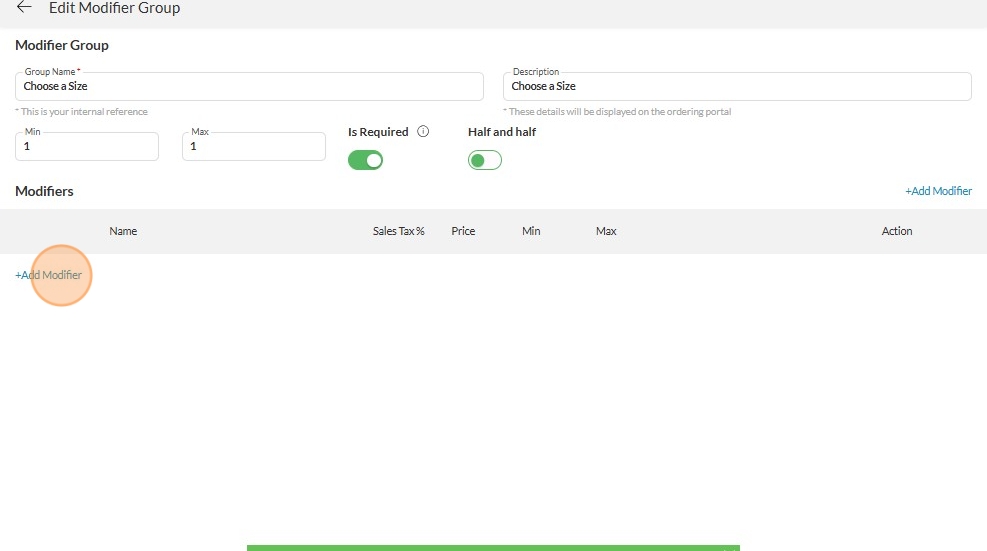
13. Click "16oz (depends on the Size - could be Small, Med, Large)

14. Type in the Price (if there is)

15. Click "CREATE"

16. Click "+Add Modifier" again to add more option

17. Click "32oz (depends on the Size - could be Small, Med, Large)

18. Type in the price (if there is)

19. Click "CREATE"

20. Click "SAVE"

Made with Scribe